
1 · About IDBI Aaroh
IDBI Aaroh is an AI-powered Financial Health Card for MSMEs. It fuses GST, UPI, bank (Account Aggregator) and EPFO data — with the business owner's consent — to produce a transparent Aaroh Score (300–900) that lets even credit-invisible businesses be assessed fairly for working-capital credit.
- Scores the credit-invisible — a business with no loan history is given a neutral prior, not a penalty.
- Explains every point — a SHAP-style contribution waterfall plus plain-language reason codes and improvement actions.
- AI you can check — a trained ML model cross-checks each score, an anomaly model flags fraud, and an early-warning model forecasts stress months ahead.
- Ask Aaroh (AI copilot) — plain-language answers about your score, grounded in your own data.
- Market Reputation signal — Google rating & consumer complaints add a customer-voice dimension.
- Governed by design — consent-first data use, a maker–checker approval flow, and a full audit trail.
- Bilingual — every screen works in English and हिंदी.
2 · Roles at a glance
Access is role-based — you only ever see what your role allows.
| Role | Who | Can do |
|---|---|---|
| Business Owner | MSME owner | View & improve own Aaroh Card, manage data consent, apply for working capital, track applications. |
| Credit Officer | Bank credit officer | Portfolio dashboard, application queue, generate credit memos, recommend (the "maker" step), look up businesses, stress radar. |
| Credit Manager | Senior credit staff | Everything an officer can, plus approve / sanction loans (the "checker" step). |
| Risk & Admin | Risk & governance | Full access, plus the audit log and user administration. |
3 · Signing in
- Open the app at
https://aaroh.rajatchauhan.com/login— you land on the sign-in screen. - Enter your username and password, then click Sign in.
- You are taken to your role's dashboard. Sessions are secured with a JWT and last 8 hours.
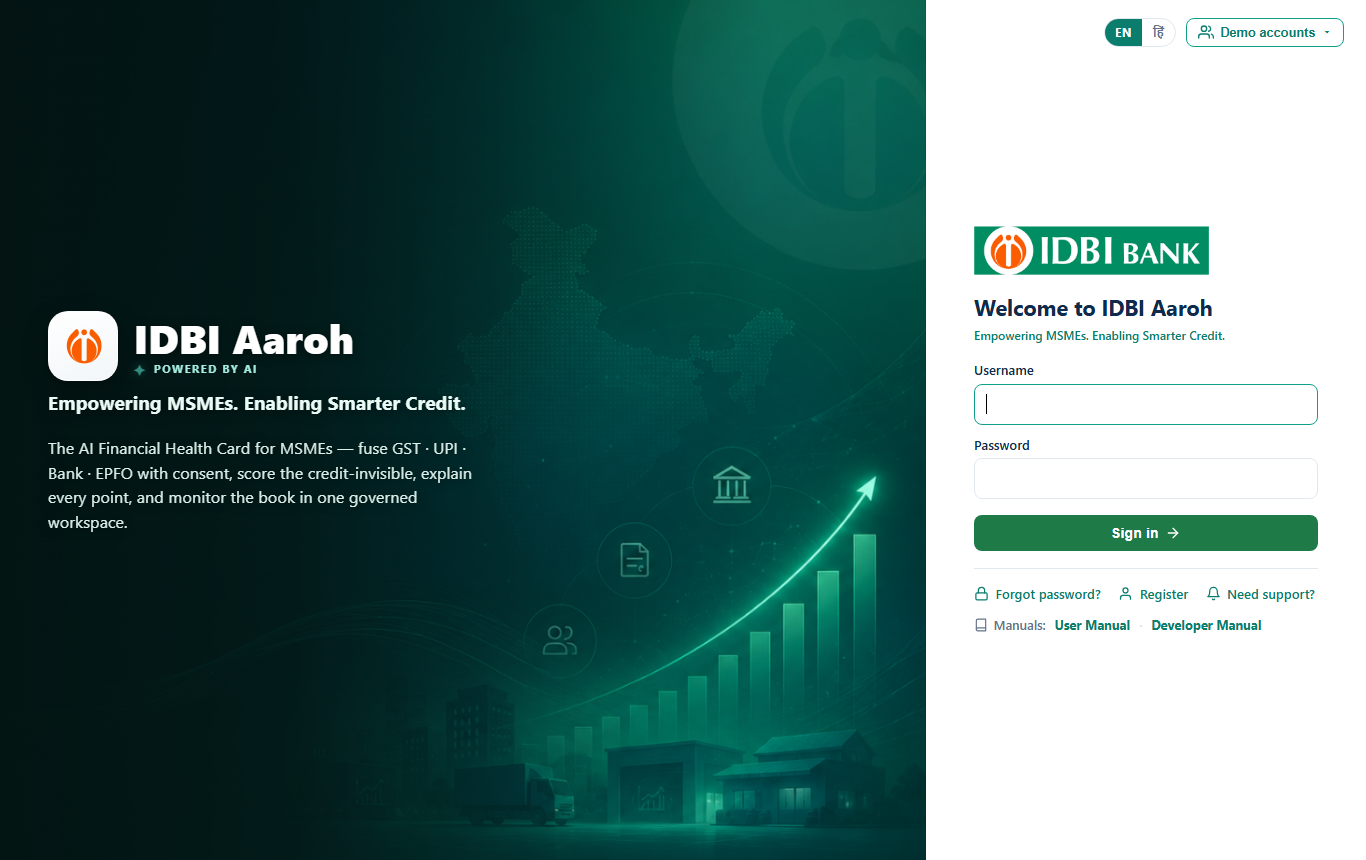
On the login screen, open Demo accounts and click any row to auto-fill the form:
| Username | Password | Role |
|---|---|---|
rajesh | rajesh123 | Business Owner |
officer | officer123 | Credit Officer |
manager | manager123 | Credit Manager |
admin | admin123 | Risk & Admin |
4 · Account & language
Register your business
New MSMEs create an account in under a minute — no documents, no long forms.
- On the login screen click Register — a pop-up opens.
- Enter your name, business name, GSTIN and mobile, then choose a username & password.
- Click Create account. Aaroh auto-detects your state from the GSTIN and (with consent) fetches your GST / bank / UPI data — your Aaroh Card is generated immediately.
- Sign in with your new credentials.
Forgot password (before login)
- Click Forgot password? on the login screen.
- Enter your username and a new password (twice), then submit. Sign in with the new password.
Change password (after login)
- Click your name (top-right) → Change Password.
- Enter your current password and the new one, then update. You'll be asked to sign in again.
Need support
Click your name → Need Support (or Need support? on login) for the helpline, email and FAQ.
6 · Using Aaroh as a Business Owner
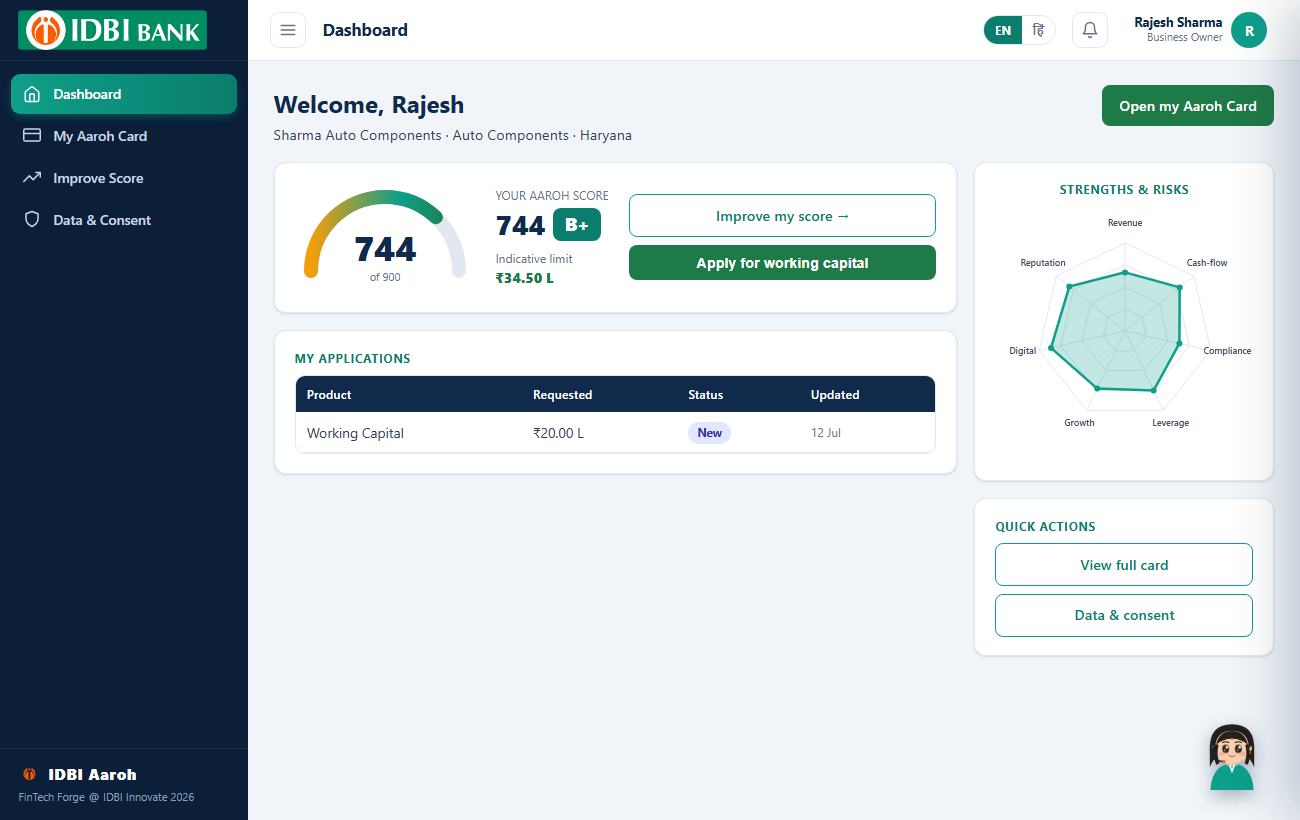
Your Dashboard
Shows your Aaroh Score and grade on a gauge, your indicative working-capital limit, a strengths-&-risks radar, and your applications. From here you can open your full card, improve your score, or apply.
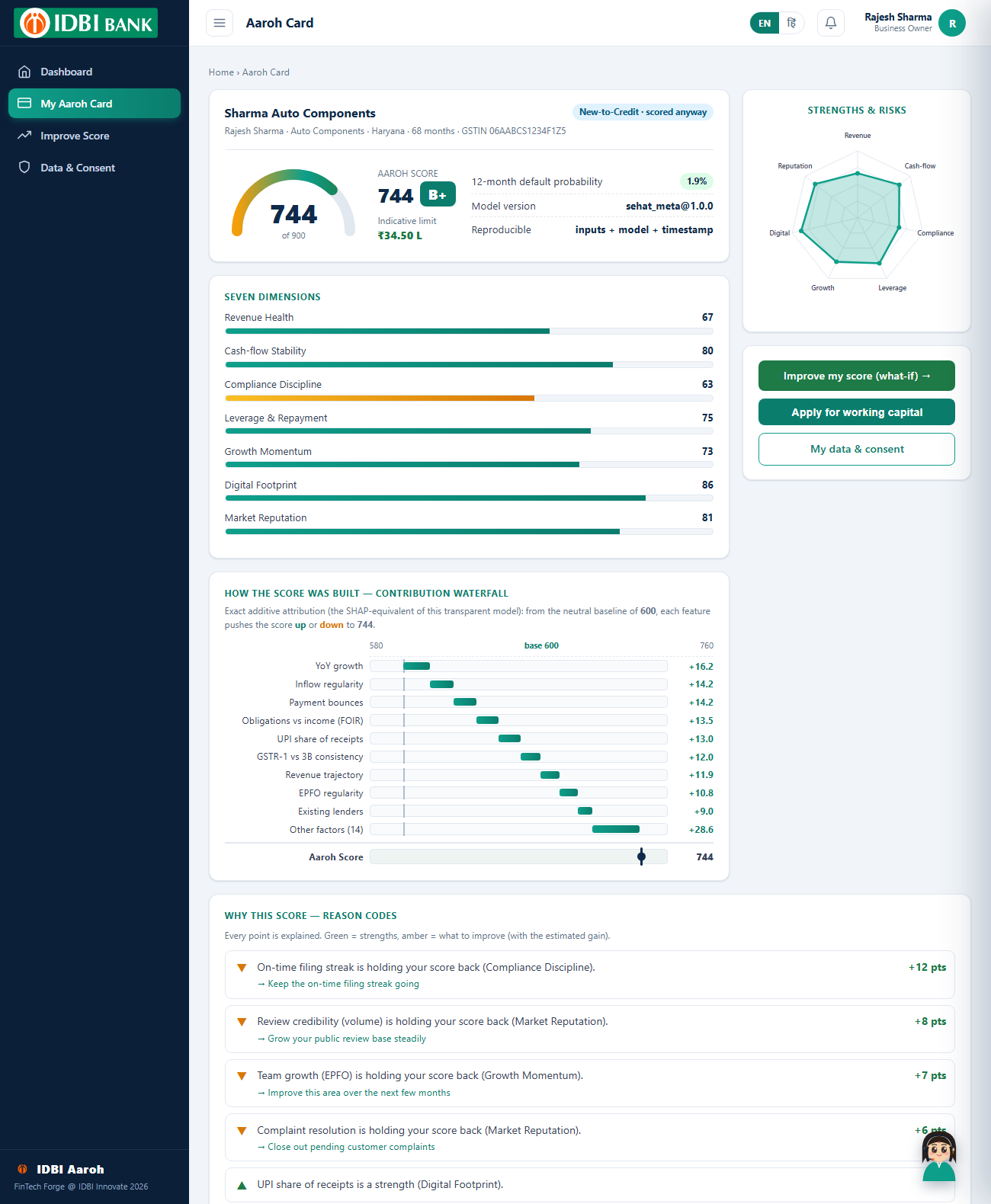
My Aaroh Card
The complete, explainable picture of your business's financial health:
- Aaroh Score & grade (300–900) with a “New-to-Credit · scored anyway” badge if you have no bureau history.
- 12-month default probability and your indicative limit.
- Seven dimensions — Revenue, Cash-flow, Compliance, Leverage, Growth, Digital and Market Reputation — as bars and a radar.
- Contribution waterfall — an exact, SHAP-style breakdown showing how each factor pushed your score up or down from the baseline.
- Reason codes — every strength (▲) and drag (▼) explained, each drag with the action to fix it and the estimated point gain.
- AI corroboration — a trained ML model, an anomaly score and an early-warning forecast independently cross-check your score.
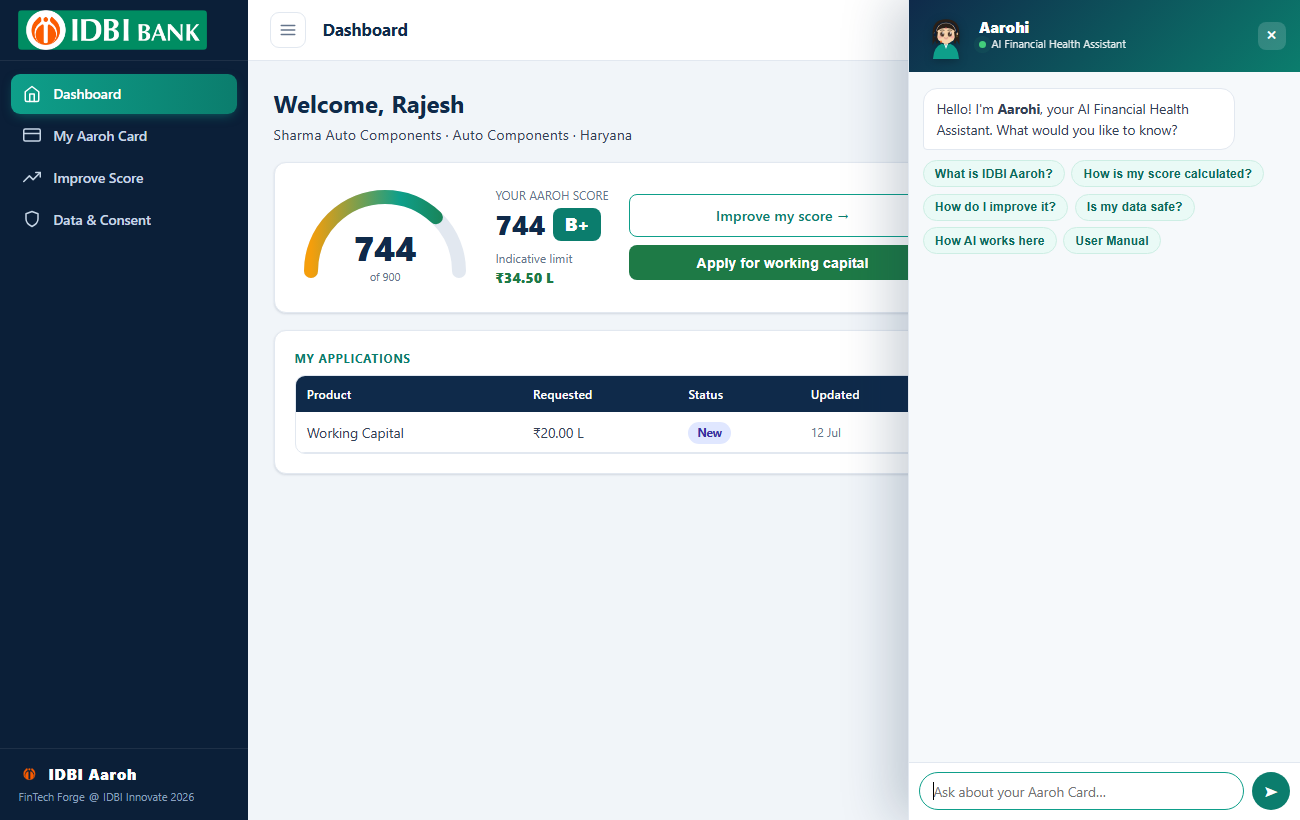
Ask Aaroh — your AI copilot
On your card (or the assistant in the bottom-right), open Ask Aarohi for instant, plain-language answers — “Why is my score X?”, “How can I improve it?”, “Is my data safe?” — each one composed live from your own score and reason codes (never generic advice).
Improve Score (what-if)
Tick improvement levers to see, live, how much your score could rise:
- File GST on time for 3 months
- Zero payment bounces for 6 months
- Build a 1-month cash buffer
- Move more receipts to UPI
- Resolve complaints & earn more reviews (lifts Market Reputation)
Data & Consent
See exactly which data rails (GST · UPI · Bank · EPFO) you've shared, when consent expires, and a log of every time your data was used. You can revoke consent at any time.
Apply for working capital
- If your score qualifies and no verification is pending, click Apply for working capital.
- An application is created at your indicative limit and enters the bank's queue.
- Track its status on your dashboard: New → Memo ready → Recommended → Approved / Declined.
7 · Using Aaroh as a Credit Officer
Dashboard
Portfolio view: total businesses, New-to-Credit count, applications in queue, approved count, average score, high-risk count, a score-distribution band chart, and an attention list of the riskiest files.
Application Queue
All applications, sorted so anomaly-flagged and lowest-score files surface first. Badges mark flagged and New-to-Credit cases. Click a row to open it.
Assess a business & Businesses
Search all businesses by name, sector or state, or use Assess a business to pull up any firm by its GSTIN — the GSTIN is the key to everything else.
Working an application
- Open the application to review the firm, its Aaroh Card, PD and any anomaly flags.
- Click Generate memo — a grounded credit appraisal memo is produced, every line citing its data source. A citation-verifier confirms 100% of lines are grounded before the memo is shown.
- Click Recommend, entering the amount and rate. This is the maker step; the file moves to Recommended and awaits a manager's approval.
AI decision-support
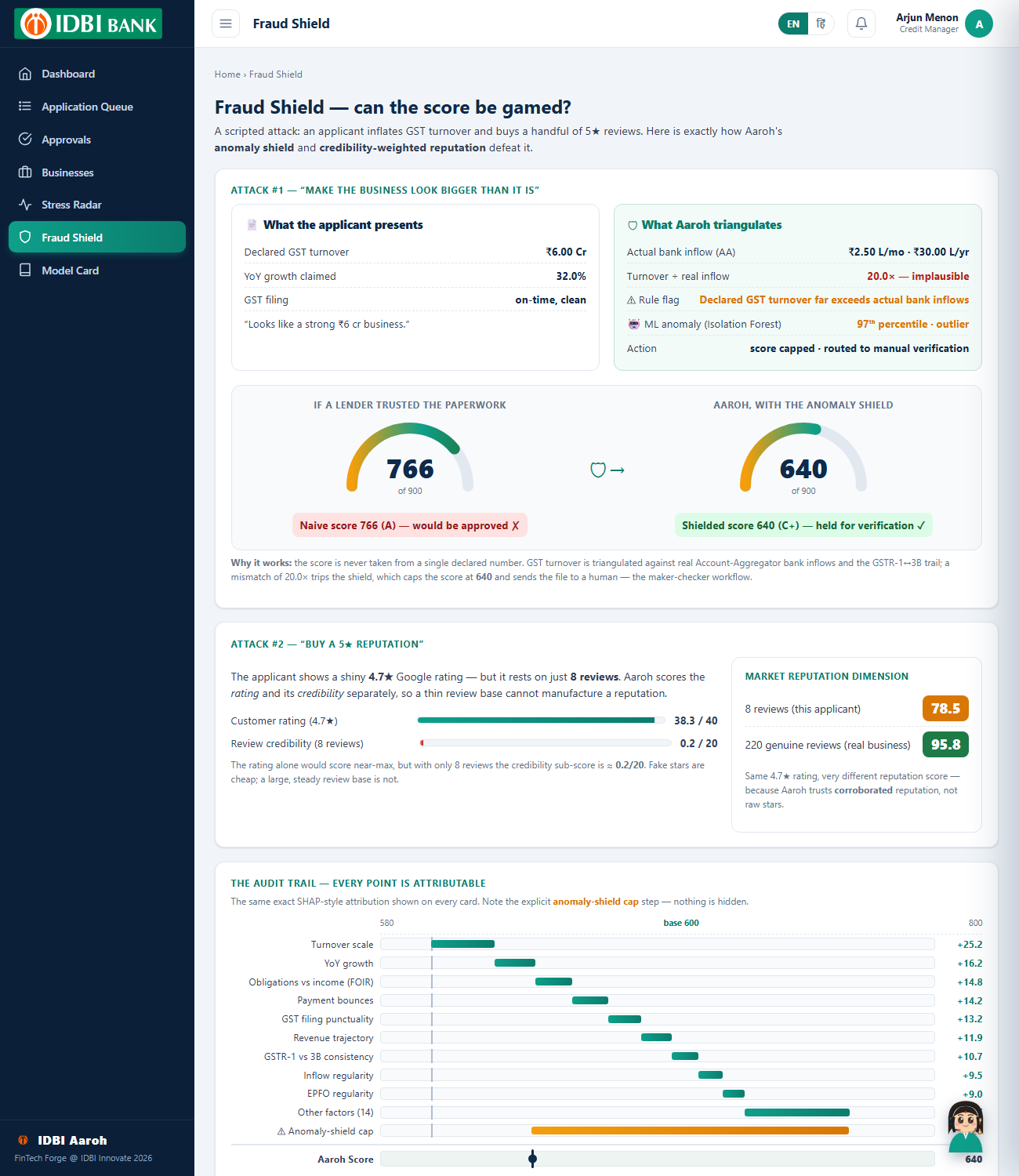
- Fraud Shield — a dedicated view showing how the anomaly model and credibility-weighted reputation defeat inflated turnover and bought reviews (a naive score is capped and routed for verification).
- AI corroboration — every card carries a trained challenger PD, an Isolation-Forest anomaly percentile and a 9-month early-warning forecast that cross-check the transparent score.
- Live model & API — the Model Card links to the live model metrics and a Swagger/OpenAPI page, so the engine can plug into the bank's systems.
Stress Radar & Model Card
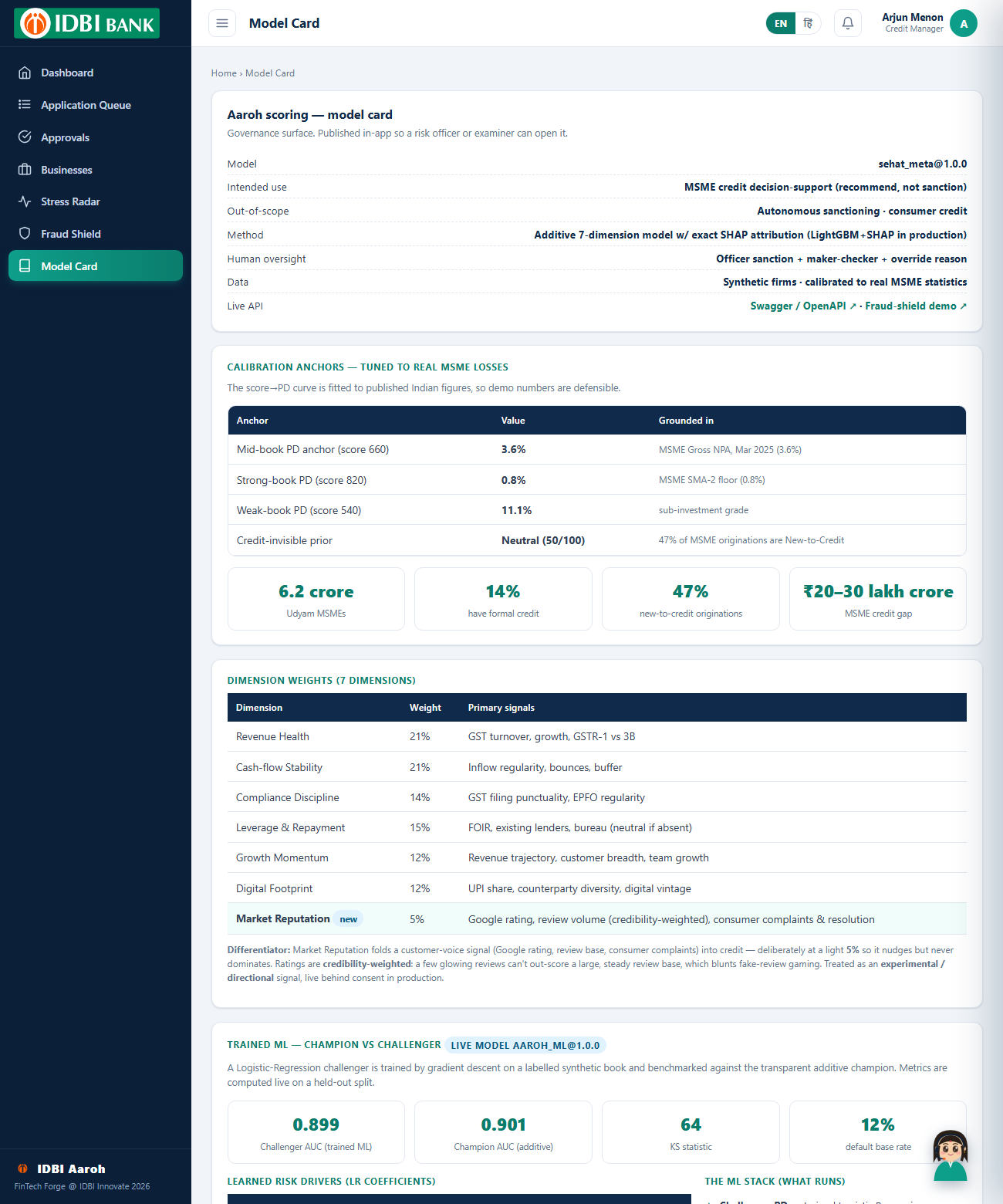
Stress Radar ranks the whole portfolio by 12-month default probability, with an added 🤖 9-month AI forecast column that flags rising stress early. The Model Card is the governance surface: dimension weights, real-data calibration anchors, the trained champion-vs-challenger metrics (AUC / KS), learned risk drivers, limitations and data sources.
8 · Using Aaroh as a Credit Manager
A manager can do everything an officer can, plus approve or sanction loans.
Approvals
- Open Approvals to see every file an officer has recommended (with who recommended it).
- Open a file, review the memo and score, then Approve (sanction) or Decline with a reason.
- Approving is the checker step — the application becomes Approved and the decision is written to the audit trail.
9 · Using Aaroh as Risk & Admin
Full access to every screen above, plus governance tools:
- Audit Log — an append-only record of every meaningful action: logins, score computations, consent grants/revocations, memos, recommendations, sanctions and password changes.
- Users — every user, their role and firm, and what each role can access.
10 · Understanding the Aaroh Score
The score runs 300–900; higher is stronger. It is a weighted blend of seven dimensions.
| Dimension | Weight | Looks at |
|---|---|---|
| Revenue Health | 21% | GST turnover, growth, GSTR-1 vs 3B consistency |
| Cash-flow Stability | 21% | Inflow regularity, bounces, cash buffer |
| Compliance Discipline | 14% | GST filing punctuality, EPFO regularity |
| Leverage & Repayment | 15% | FOIR, existing lenders, bureau (neutral if absent) |
| Growth Momentum | 12% | Revenue trajectory, customer breadth, team growth |
| Digital Footprint | 12% | UPI share, counterparty diversity, digital vintage |
| Market Reputation | 5% | Google rating, review volume (credibility-weighted), consumer complaints |
Grades
A+ / A excellent B+ / B good C+ / C fair D / E needs work
Default probability — calibrated to real data
The 12-month default probability isn't guesswork. It's calibrated to published Indian figures: a mid-book business (~score 660) maps to the MSME Gross NPA of 3.6% (Mar 2025), and a strong business (~820) to the 0.8% SMA-2 floor. So the risk you see is on the same scale RBI and the Ministry of MSME report.
Anomaly shield
If the data looks inconsistent — e.g. declared turnover far exceeds actual bank inflows, or a burst of GST returns is filed just before applying — the score is capped and routed for manual verification rather than trusted blindly. An unsupervised anomaly model (Isolation Forest) adds a second, learned layer that flags unusual or gamed profiles even when no fixed rule fires.
The AI behind the score
The transparent score is cross-checked by trained machine-learning models: a challenger default-risk model (benchmarked against the transparent one in a champion–challenger setup), the anomaly model above, and an early-warning model that forecasts stress months ahead. Every score also carries an exact SHAP-style contribution waterfall, so the AI is always explainable, and the Ask Aarohi copilot turns it into plain language.
11 · FAQ & support
How is my Aaroh Score calculated?
From the seven dimensions above, across GST, UPI, bank and EPFO data — every point is explained on your card.
Is my data safe?
Yes. Data is used only with your consent, is encrypted, and every use is logged. You can revoke consent any time.
I'm New-to-Credit — can I still be scored?
Yes. Absence of a bureau history is treated as a neutral prior, never a penalty — that's the whole point of Aaroh.
Getting help
Use Need Support in the app for the helpline, email rajatchauhan.xi@gmail.com, and working hours.